 Peptide Library
Peptide Calculator for iPhone
Peptide Calculator for iPhone: Use the Web App on iOS
Looking for a peptide calculator on iPhone? Peptide Library removed its dose and blend calculators from the iOS App Store app to comply with Apple’s App Review Guidelines, but the calculator is still available through the Peptide Library web app and can be installed directly on your iPhone.
Free in your browser. Installable on iPhone. No App Store download required.
The App Store version of Peptide Library no longer includes calculators. The same calculator runs in Safari at PeptideLibrary.app, and you can add it to your Home Screen so it opens like an app.
Published · Last updated · Last verified:
Why did the peptide calculator disappear from the iPhone app?
Apple’s App Review Guideline 1.4.2 restricts drug dosage calculators in App Store apps. It says they must come from a drug manufacturer, hospital, university, health insurance company, pharmacy or other approved entity, or be approved by the FDA or one of its international counterparts.
To comply with that requirement, Peptide Library removed its dose and blend calculators from its iOS App Store app. The rest of the iPhone app (the research library, tracker, inventory and journal) stays.
The calculator itself has not gone away. You can still use it on PeptideLibrary.app and install the Peptide Library web app on your iPhone.
Source: Apple App Review Guideline 1.4.2
Peptide Library isn’t the only app affected. The App Store release notes of Pep AI (version 4.0.4) and PepTracker say they removed their calculators to meet App Store rules. Other peptide apps still list calculators, so check each app’s own listing. Our sourced comparisons: Peptide Library vs Pep AI, Peptide Library vs PepTracker.
How to Install the Peptide Calculator on Your iPhone
Safari can add Peptide Library to your Home Screen as a web app. It opens from its own icon in its own window, like an app you launch from the Home Screen, and nothing is downloaded from the App Store.
Chrome, Edge and Firefox on iOS 16.4 or later can do the same through their Share menu. The install page shows the steps for the browser you’re using.
Add Peptide Library to your iPhone
- 1.Open PeptideLibrary.app in Safari.
- 2.Tap Share in Safari’s toolbar. (With the compact tab bar, tap the menu button next to the address first, then Share.)
- 3.Tap Add to Home Screen. If it isn’t listed, tap View More first.
- 4.Leave Open as Web App switched on.
- 5.Tap Add.
- 6.Open Peptide Library from your Home Screen.
If the installed app asks you to sign in, sign in once there. Your data is already there.
What Can the Peptide Library Web Calculator Do?
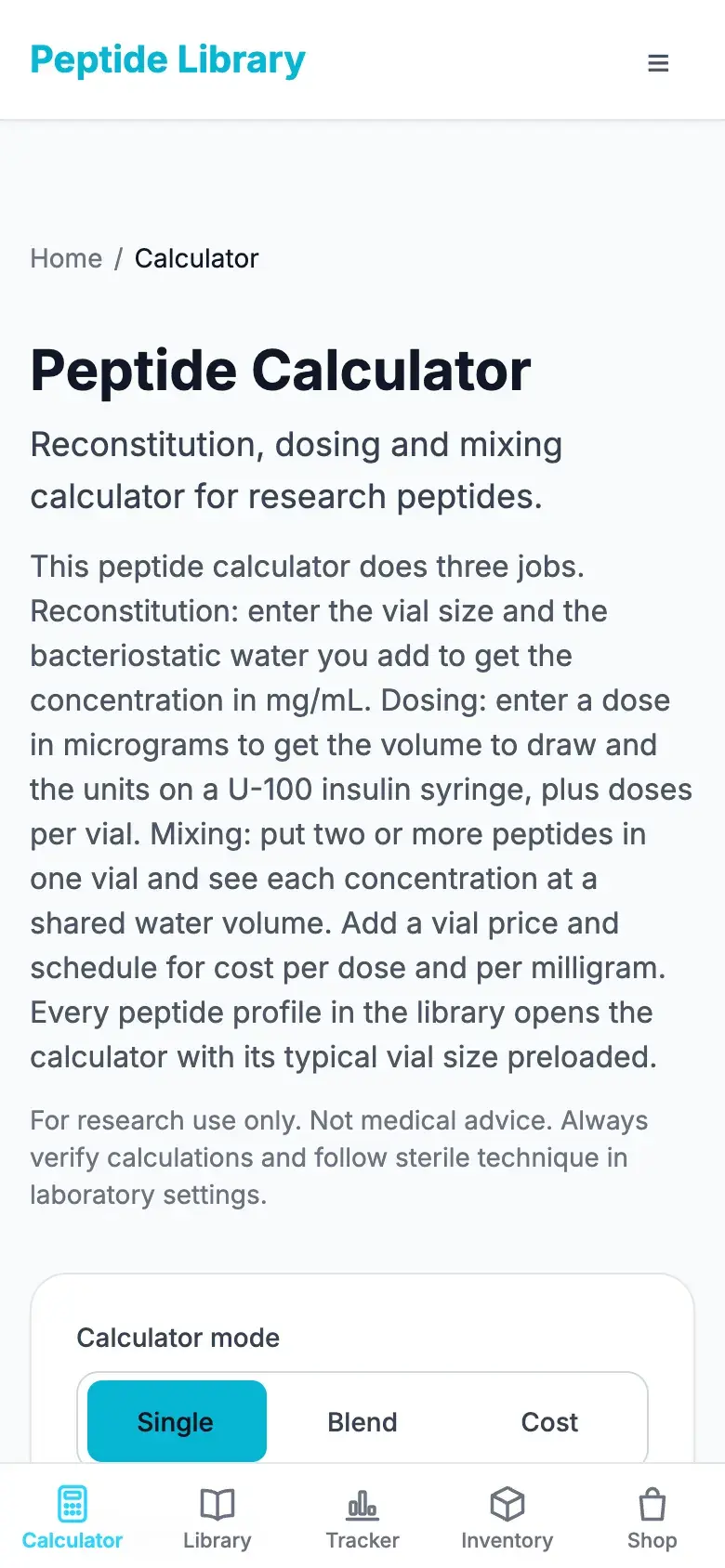
It’s the calculator at peptidelibrary.app/calculator. Every result is arithmetic on the values you enter: it doesn’t suggest a peptide, an amount or a schedule.
Reconstitution and concentration
Enter the amount in the vial and the volume of diluent you add; the calculator returns the concentration in mg/mL.
mg, mcg and IU
Work in milligrams, micrograms or IU. IU calculations use the IU-per-mg factor of the selected peptide, or one you enter.
Volume and U-100 syringe units
For an amount you enter, it shows the volume in mL and the matching units on a U-100 insulin syringe, drawn on a 0.3, 0.5 or 1 mL syringe scale.
Amounts per vial
See how many times the amount you entered fits in the vial at that concentration.
Blend calculations
Put two or more peptides in one vial and see each one’s concentration at a shared volume. The blend calculator is part of Pro on the website.
Cost calculations
Add the price you paid, the amount and how often you use it to get cost per mg, per use, and per week, month and year.
Library presets
Pick a peptide from the library and its typical vial size and IU factor (where one is documented) are filled in for you.
Step-by-step walkthroughs: peptide reconstitution calculator guide, converting mg and mL to insulin syringe units, and how blend math works.
For research and education only. Not medical advice. Check every calculation yourself.
App Store App vs Peptide Library Web App
Both use the same account. The App Store app is still the place for Apple Health import and Home Screen widgets; the web app adds the calculator. Many people use both.
| Feature | App Store app | Web app |
|---|---|---|
| Peptide calculator | Not included | Included |
| Research library | Included | Included |
| Tracker, schedules and reminders | Included | Included |
| Inventory | Included | Included |
| Journal and body metrics | Included | Included |
| Apple Health import | Included | Not available in a browser |
| Home Screen widgets | Included | Not available |
| Opens from the Home Screen | Yes | Yes, once added from Safari |
| Download needed | From the App Store | None |
| Account and Pro | Same account | Same account |
Want the calculator on your Home Screen? Install the Peptide Library web app. Prefer the store app for everything else? Get Peptide Library on the App Store.
Peptide Calculator on iPhone: Questions
Why did my peptide calculator disappear on iPhone?
Peptide Library removed its dose and blend calculators from the iOS App Store app to comply with Apple’s App Review Guideline 1.4.2, which restricts drug dosage calculators. The calculator is still available in the Peptide Library web app at peptidelibrary.app/calculator.
Does Peptide Library still have a peptide calculator?
Yes. The Peptide Library calculator is still available on the website and in the installable web app. Only the iOS App Store app no longer includes it.
Can I use a peptide calculator on an iPhone?
Yes. Open peptidelibrary.app/calculator in Safari on your iPhone. It works in the browser, and you can add Peptide Library to your Home Screen to open it like an app.
Is the Peptide Library calculator available on iOS?
Yes, through the web app. It isn’t inside the iOS App Store app, but it runs in Safari and in the Peptide Library web app installed on your Home Screen.
How do I install the Peptide Library calculator on my iPhone?
Open PeptideLibrary.app in Safari, tap Share, tap Add to Home Screen, leave Open as Web App switched on, and tap Add. Then open Peptide Library from the new Home Screen icon.
Do I need to download another app?
No. The web app is added from Safari to your Home Screen. Nothing is downloaded from the App Store.
Is the Peptide Library web app free?
Yes. The web app and the calculator are free to use. The blend calculator is part of Pro on the website, and Pro bought on the website or in either store app unlocks everywhere you sign in.
Can I use the calculator in Safari?
Yes. The calculator works in Safari on iPhone and iPad without installing anything. Installing it to the Home Screen only adds a one-tap icon.
Is there a peptide reconstitution calculator for iPhone?
Yes. The Peptide Library web calculator does reconstitution math on iPhone: enter the vial amount and the volume added, and it shows the concentration in mg/mL from the values you supply.
Does the calculator work from the iPhone Home Screen?
Yes. After you add Peptide Library to your Home Screen from Safari, it opens in its own window like an app, and the calculator is inside it.
Why did Apple require the calculator to be removed?
Apple’s Guideline 1.4.2 says drug dosage calculators in App Store apps must come from a drug manufacturer, hospital, university, health insurance company, pharmacy or other approved entity, or have FDA or equivalent approval. Peptide Library removed its calculators from the iOS app to comply.
Is my existing Peptide Library account the same on the web app?
Yes. Sign in with the account you use in the iPhone app. Your schedules, logs, inventory, journal and Pro are the same in the web app.
Where is the Peptide Library calculator now?
At peptidelibrary.app/calculator. Open it in Safari or from the Peptide Library web app on your Home Screen.
Sources
- App Review Guidelines, 1.4.2 (Physical Harm: drug dosage calculators) (Apple)
- App Review Guidelines (full text) (Apple)
- Pep AI: GLP-1 Peptide Tracker, App Store listing and release notes (Apple App Store)
- PepTracker: Peptide Tracker, App Store listing and release notes (Apple App Store)
- Peptide calculator (Peptide Library)
- Install the Peptide Library web app (Peptide Library)
Apple’s guideline text was last checked on . Apple updates its guidelines from time to time; its page is the authority.
The Peptide Calculator Is Still Available on iPhone
The calculator may no longer be inside the Peptide Library App Store app, but you can still use the Peptide Library calculator directly from your iPhone and install the web app on your Home Screen.