
Browser extension
Inventory Tracker
Stock left, run-out dates, expiry and alerts, synced with your Peptide Library account.
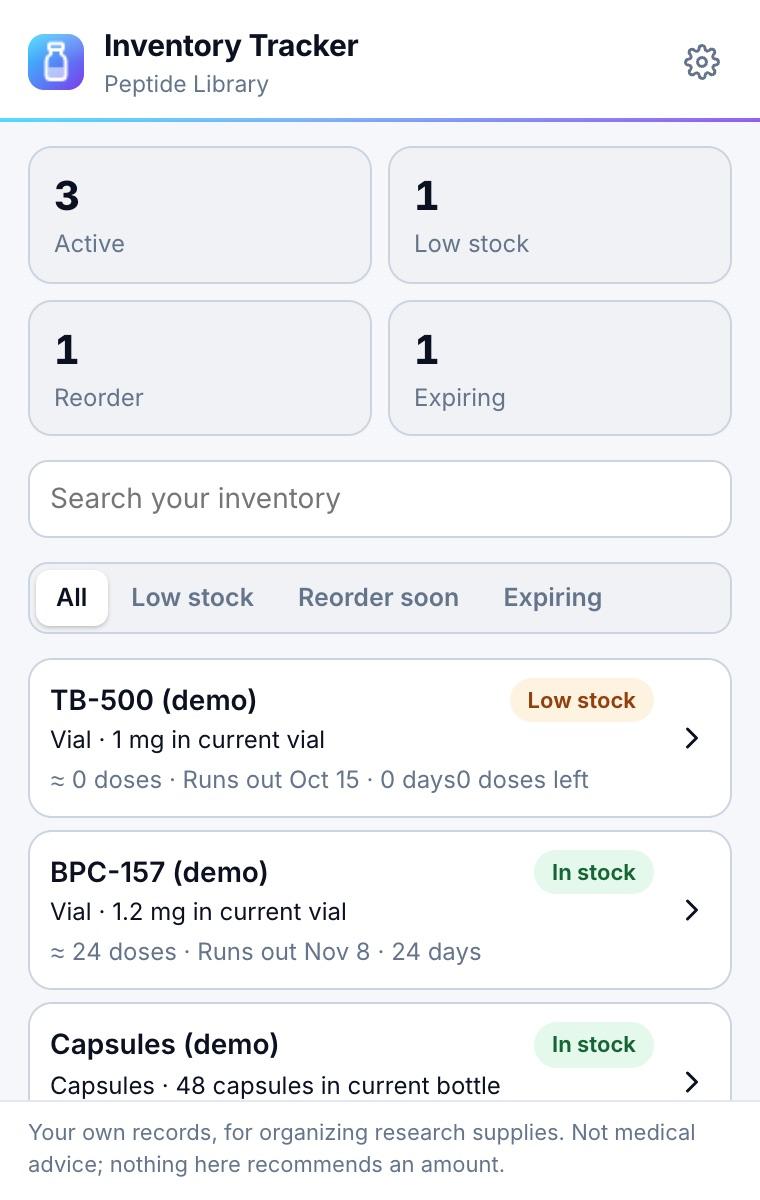
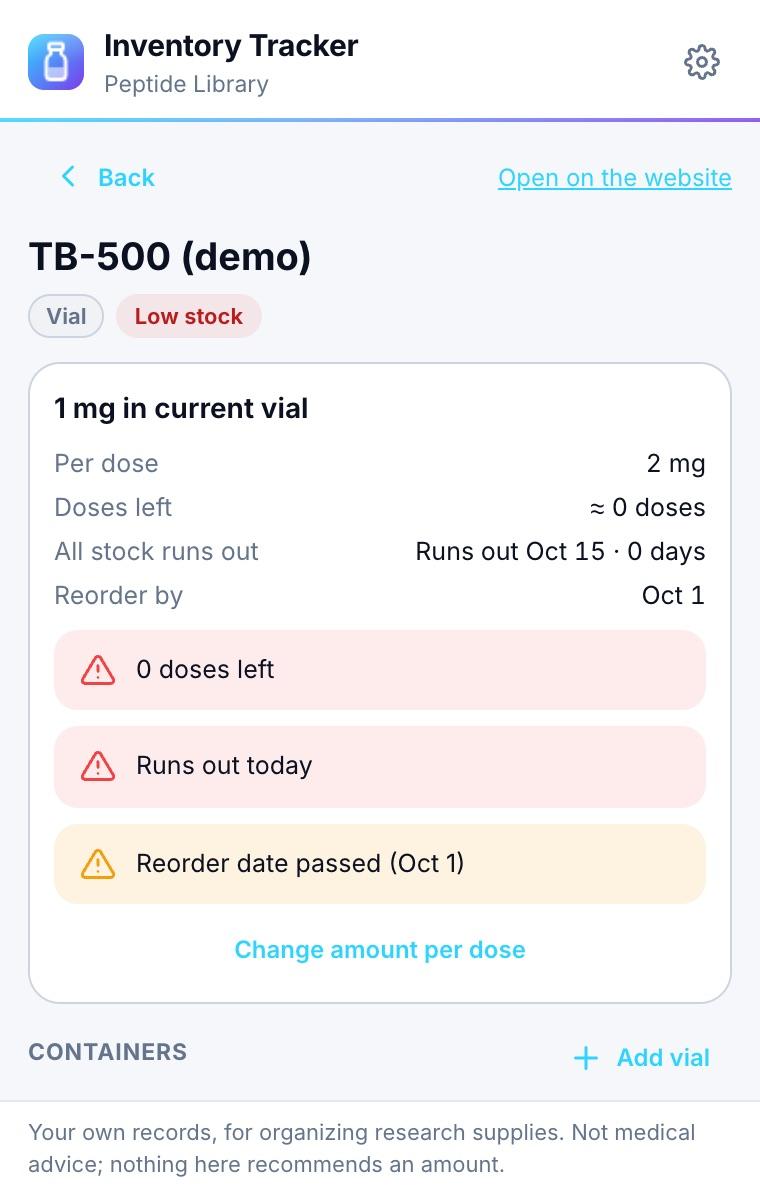
The Inventory Tracker shows the inventory in your Peptide Library account in your toolbar: what is left in each vial, bottle or container, how many doses that is, when it runs out on your schedule, and what is expiring.
It reads the same data as the app and peptidelibrary.app and uses the same inventory engine, so the numbers match everywhere.
Coming soon to Chrome, Edge, Firefox, Opera and Safari
Account: Yes, a Peptide Library account. Free accounts track one item, as on the website; Pro has no limit.
What it does
Stock at a glance
Current and backup containers, doses left and the run-out date from your schedules.
Attention first
Low stock, reorder dates and expiring containers are summarized and filterable.
Corrections with history
Correct an amount, mark a container finished or discard it; every change is recorded in the item’s history.
Add items and containers
The same fields as the website, with free-plan limits as in the app.
Alerts and offline
Optional browser notifications for low stock and expiry. Offline, your last copy stays readable and corrections sync when you are back.
How it works
Sign in with your Peptide Library email and password. Every read and write runs as you, and the database only ever returns your own rows.
Stock changes go through the same ledger as the app and website, so a change is never applied twice, even after a retry.
Privacy
- • Only you can see your inventory. The extension does not read the pages you visit.
- • Usage counts, if you allow them, never include item names, amounts or anything from your inventory.
Full details: privacy policy · support
Browser support
| Browser | Needs | Get it |
|---|---|---|
| Google Chrome | Chrome 116 or later | Coming soon |
| Microsoft Edge | Edge 116 or later | Coming soon |
| Mozilla Firefox | Firefox 140 or later | Coming soon |
| Opera | Opera 102 or later | Coming soon |
| Safari | Safari 17 or later | Coming soon |
On peptidelibrary.app
- Peptide Library app · Track doses, schedules and inventory on iPhone and Android.
- Shop · Compare vendor prices when it’s time to reorder.
- Peptide calculator · Reconstitution math for a new vial.
Frequently asked questions
Do I need an account?
Yes. The Inventory Tracker shows the inventory saved in your Peptide Library account. Sign in with your email and password; if you signed up with Apple or Google in the app, set a password there first.
Why is my inventory empty?
The iPhone app keeps inventory on the phone unless you have Pro, so items added there without Pro aren’t in your account yet. Android and the website save to your account.
Can it log doses?
No. Dose logging stays in the app and on the website, where schedules are. The extension shows stock and lets you correct it.
What happens offline?
Your last copy stays readable. Corrections are saved and sent in order when you are back online; one that conflicts with a change made on another device is shown instead of applied.
Who can see my inventory?
Only you. The database returns only rows that belong to the signed-in account.
More Peptide Library extensions


Research and educational use only. Not medical advice. Peptide Library does not sell peptides.